It’s 11 p.m. Your essay is due at 9 a.m. You’re four hundred words short.
You’ve made your point. Every idea you had is already on the page. In another tab, you’ve got a word count generator open. It promises to stretch your draft to the right length in one click.
Don’t click it. Here’s why — and here’s what to do instead.
Skip the Generator. Here’s the Real Risk.
Most tools called “word count generators” don’t add new ideas. They paraphrase your sentences into longer, looser versions of themselves. Same point, more words, different wrapping.
That’s the problem.
Turnitin’s AI detection system has a specific category for exactly this pattern. It’s built to catch text that looks AI-generated and was then rewritten by a paraphrasing tool or “word spinner,” like Quillbot. The model is trained on the fingerprints those tools leave: swapped synonyms, shuffled sentence order, one idea stretched wider than it needs to be.
Here’s the part that should give you pause. That fingerprint doesn’t care where your original sentence came from. It cares what happened to it afterward. Write every word yourself, then run your finished draft through a generator to hit your minimum, and you’re feeding your own honest writing through the exact kind of tool this system exists to catch. You can’t fully predict how a detector will read that. Neither can your professor. That’s a bad position to be in the night before a deadline.
Most articles on this topic skip that part entirely. A lot of them are ads for AI writing tools, dressed up as advice — which is a strange thing to recommend to someone who’s specifically worried about getting flagged.
So skip the generator. Add words your essay actually needs instead. Here are four ways to do that, with real before-and-after examples.
1. Swap a Vague Sentence for a Named Example
A vague claim reads as padding, even when it’s true. It doesn’t cost you anything to write, so it doesn’t prove you know the material. A specific example does.
Before: “Not getting enough sleep can hurt students’ grades.”
After: “The CDC recommends eight to ten hours of sleep a night for teenagers. Most U.S. high schoolers get less than that on school nights. That gap shows up directly in attention and memory — the two things a grade actually depends on.”
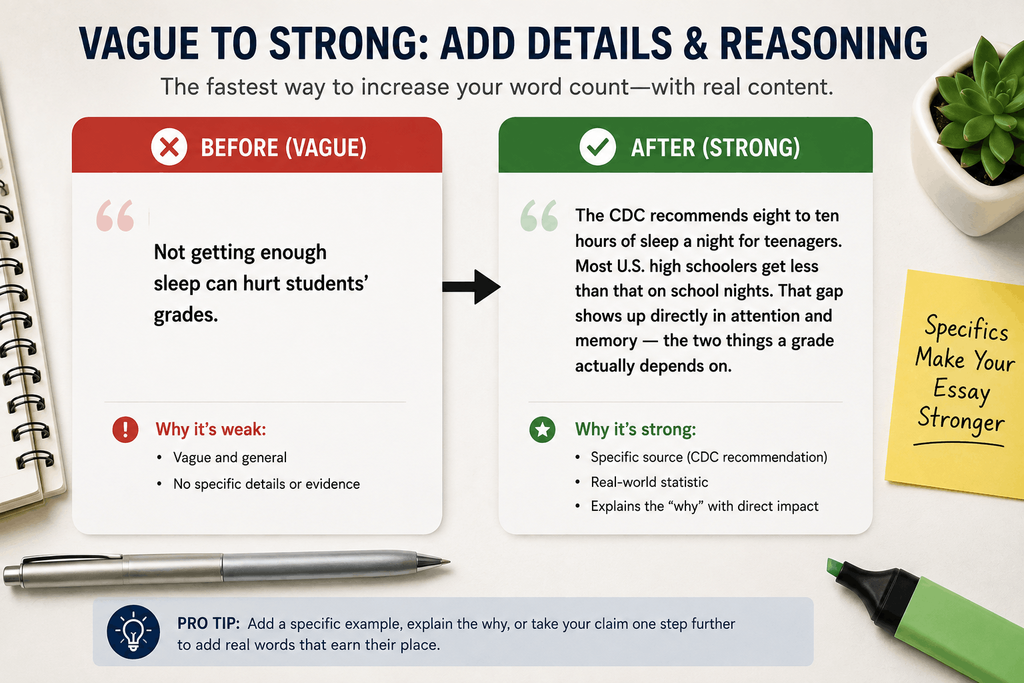
That’s not padding. It’s the sentence your paragraph was missing all along. It also added over thirty real words.
2. Explain the “Why,” Not Just the “What”
Most short essays state a claim and move on. They skip the reasoning behind it. That reasoning is usually where your missing words are already hiding. You just haven’t written them down yet.
Before: “The green light symbolizes hope.”
After: “The green light symbolizes hope — but a specific kind. It’s hope that has curdled into obsession. Gatsby stares at a single point of light across the water because he can’t bring himself to knock on Daisy’s door and ask how the last five years went. The light stands in for a plan he refuses to act on directly.”
Same claim. One extra beat of reasoning. About forty-five more words, and a stronger paragraph — not just a longer one.
3. Add a Counterpoint Paragraph, Where It Fits
This is the fastest way to add 80 to 150 real words to an argumentative or analytical essay. Name the strongest objection to your point. Then explain why your argument still holds up against it.
It tends to help your grade too. A paper that only argues one side reads as less developed than one that’s tested its own claim and survived the test.
One honest caveat: this doesn’t fit every essay. If you’re writing a timed in-class response, a strict five-paragraph assignment, or a short-answer piece with a fixed shape, forcing in a counterpoint paragraph can throw off the structure your instructor actually asked for. Use this move where your essay has room to argue. Skip it where it doesn’t.
4. Follow Your Claim One Step Further
Every claim has a “so what” attached to it. Most short drafts stop writing right before they get to it.
Before: “Social media use is linked to higher rates of anxiety in teenagers.”
After: “Social media use is linked to higher rates of anxiety in teenagers. That matters beyond any one teenager, too. If a whole generation spends its formative years in a heightened state of anxiety, the effects don’t stay in high school. They show up later — in workplaces, in relationships, in how people handle ordinary stress once they’re adults.”
This works because it isn’t restating the claim in different words. It’s extending it one logical step. That one step is the difference between padding and actual development.
Recheck the Draft With a Readability Tool
Once you’ve added real content, check that it earned its place. Run the draft through a free tool. The Hemingway App works well for this. So does the readability check built into Word. Look for:
- Passive sentences you can flip to active
- Any sentence over 25 words that’s really two ideas stacked on top of each other
- A claim or definition you’ve already stated once, now repeated
- A reading grade level that jumped because sentences got clunkier, not clearer
If your new paragraphs pass this check, they’re doing real work. If they don’t, that’s filler wearing a disguise. Cut it, and go back to the example or “why” techniques instead.
Check Your Actual Word Count Rule First
Before you panic over the last fifty words, check your school’s actual policy. Some allow more room than students assume.
The University of Warwick’s postgraduate English handbook, for example, gives students a penalty-free margin of up to 10% under the stated word count before anything is deducted. That’s one real policy, not a universal rule — margins like this vary by school and even by department, so don’t assume yours works the same way. It’s still worth five minutes to check before you add a single word.
The Short Version
None of this requires a generator. None of it risks a flag you can’t explain later.
A named example instead of a vague claim. One more “why” per paragraph. A counterpoint where your essay has room for one. One step past each claim’s obvious conclusion. That’s not four filler tricks. It’s what a paragraph looks like when it’s actually finished being written.
If you want to track your progress as you write, instead of just watching a counter tick up, chronoledger.site shows how close your draft is to your real word count minimum as you go.
Related Posts:
Stuck Under a Word Limit? How to Cut 10% Without a Full Rewrite
Paragraph Counter: How Many Paragraphs Should a 500, 1,000, or 1,500 Word Post Have?
Pingback: Word Limit vs. Word Count: What Actually Happens When You Go Over - chronoledger.site